 by
by -
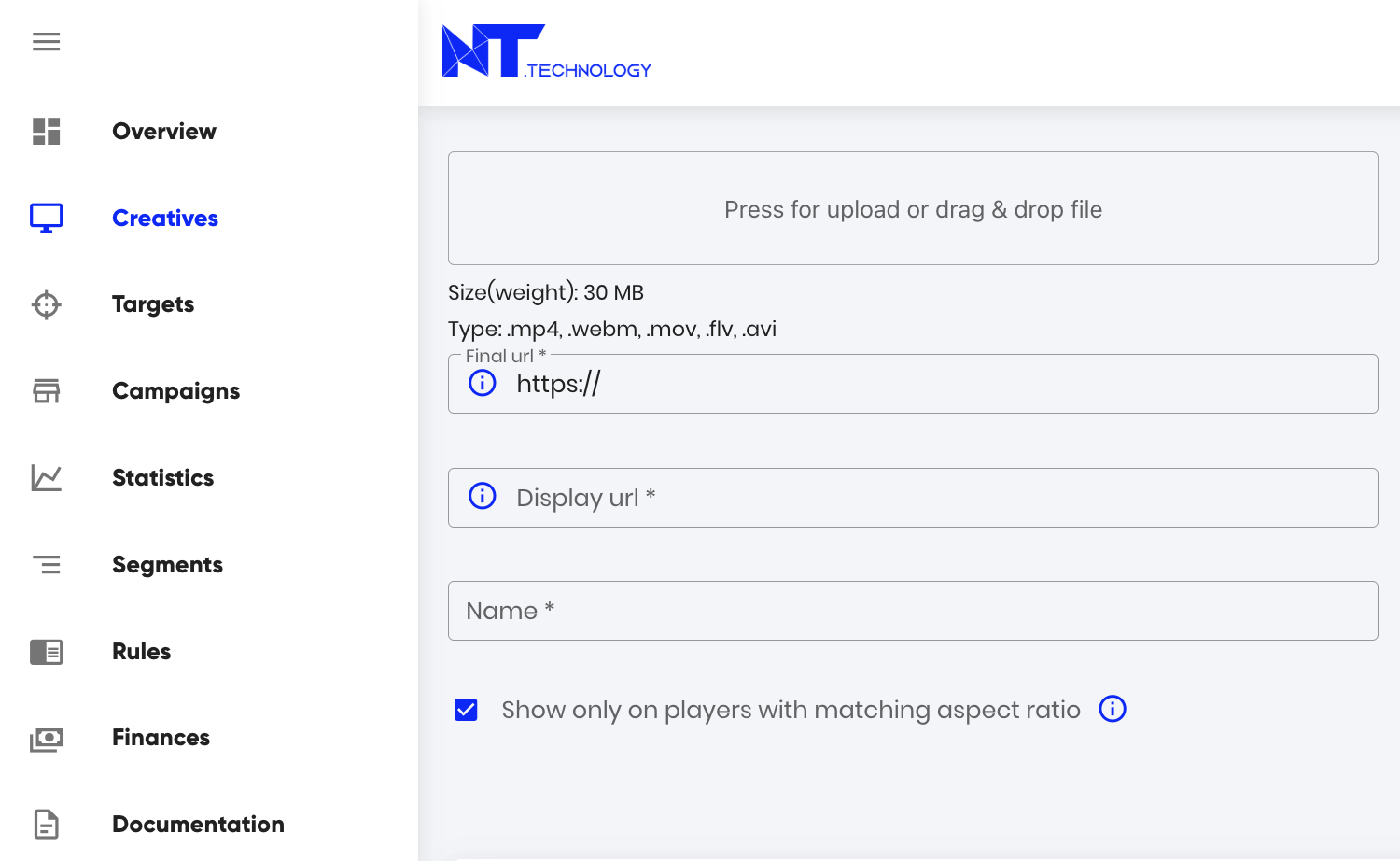
Video File Upload
- Supported Formats: As specified on upload page (unsupported formats will be rejected)
- File Naming:
- Original filename displayed automatically after upload
- Editable in the “Name” field before final submission
-
Click-Through Configuration
- Landing Page: Enter the final destination URL
- Display URL:
- Automatically generated based on landing page
- Fully customizable to match branding needs
- Click: Records when users click the ad
- Impression: Tracks when the ad is displayed
- Start: Logs when video playback begins
- First quartile (25%): 25% of video viewed
- Midpoint (50%): Half of video viewed
- Third quartile (75%): 75% of video viewed
- Complete: Full 100% playback
- Mute/Unmute: Volume control interactions
- Pause/Resume: Playback interruptions
- Rewind: Viewer rewatching content
- Skip: User skipping the video
- Player expand: When video goes fullscreen
- Player collapse: When exiting fullscreen
- Custom: Configure for any unique interaction
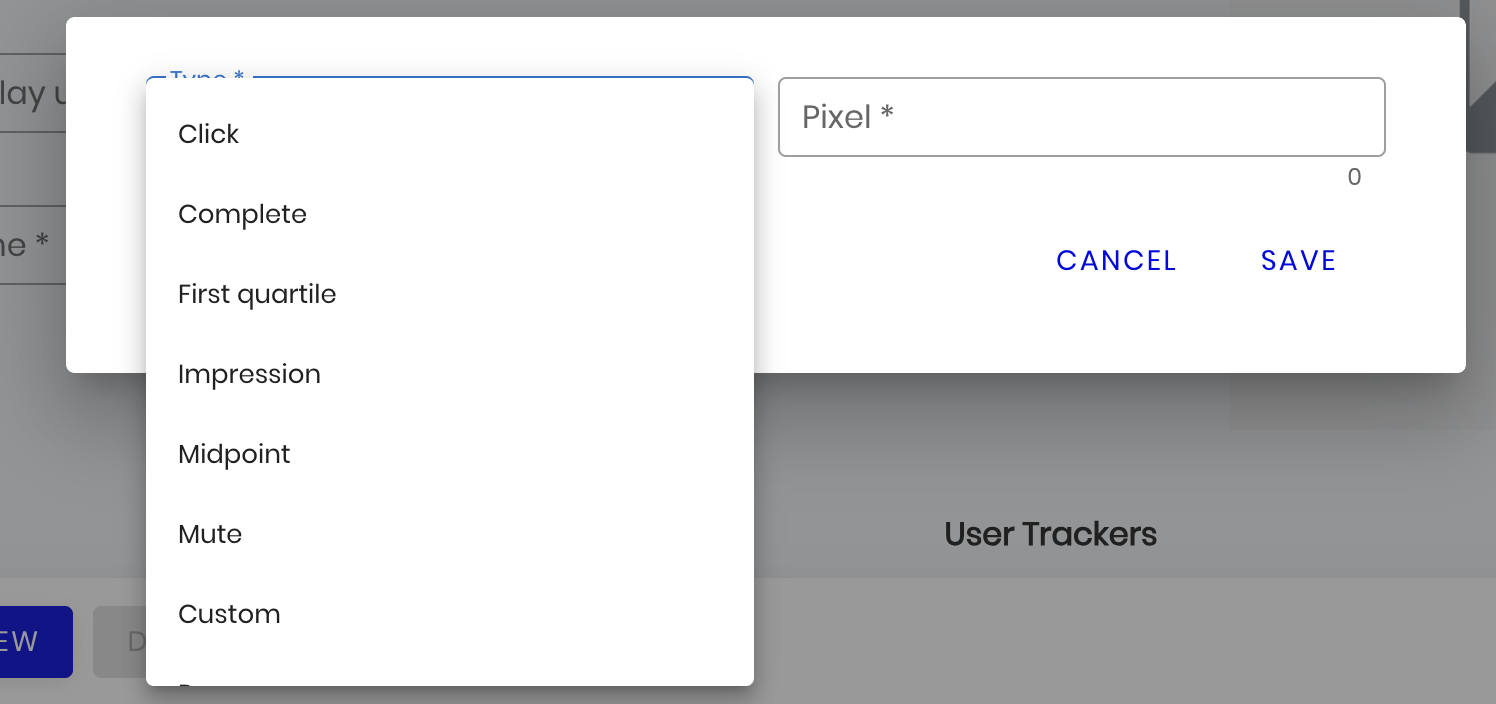 Trackers can be added in the designated “Trackers” section by clicking the “New” button. For each tracker type, you should enter a URL in the “Pixel” field, which will serve as the destination for reporting interaction data. Additionally, this information will be accessible in the program’s “Statistics” section.
By default, uploaded videos on the platform are displayed in any available players with various aspect ratios (vertical, square, etc.). If you want the ad video to be shown only on players with a suitable aspect ratio (e.g., 16:9, 4:3, etc.), you need to check the option ‘Show only on players with matching aspect ratio’.