
 by
by To create a campaign, the following data blocks must be filled out:
1. General Information
First, the following parameters of the campaign need to be specified:
- Campaign Name
- Campaign Status:
- Active – participates in auctions
- Inactive – excluded from auctions regardless of schedule
- Bidder Status: Indicates real-time auction participation based on schedule. If the “Offline” status is assigned, the Participant will automatically switch to “Online” status when the next scheduled period begins.
2. Campaign Type
A campaign can only have one type, and it cannot be changed afterward. There are four types of campaigns, corresponding to the number of creative types:
- Banner
- Audio
- Video
- Native
System will prompt for additional configurations based on selected type.

It is possible to choose the Rewarded Ads format, where the user receives a reward for viewing an advertisement.
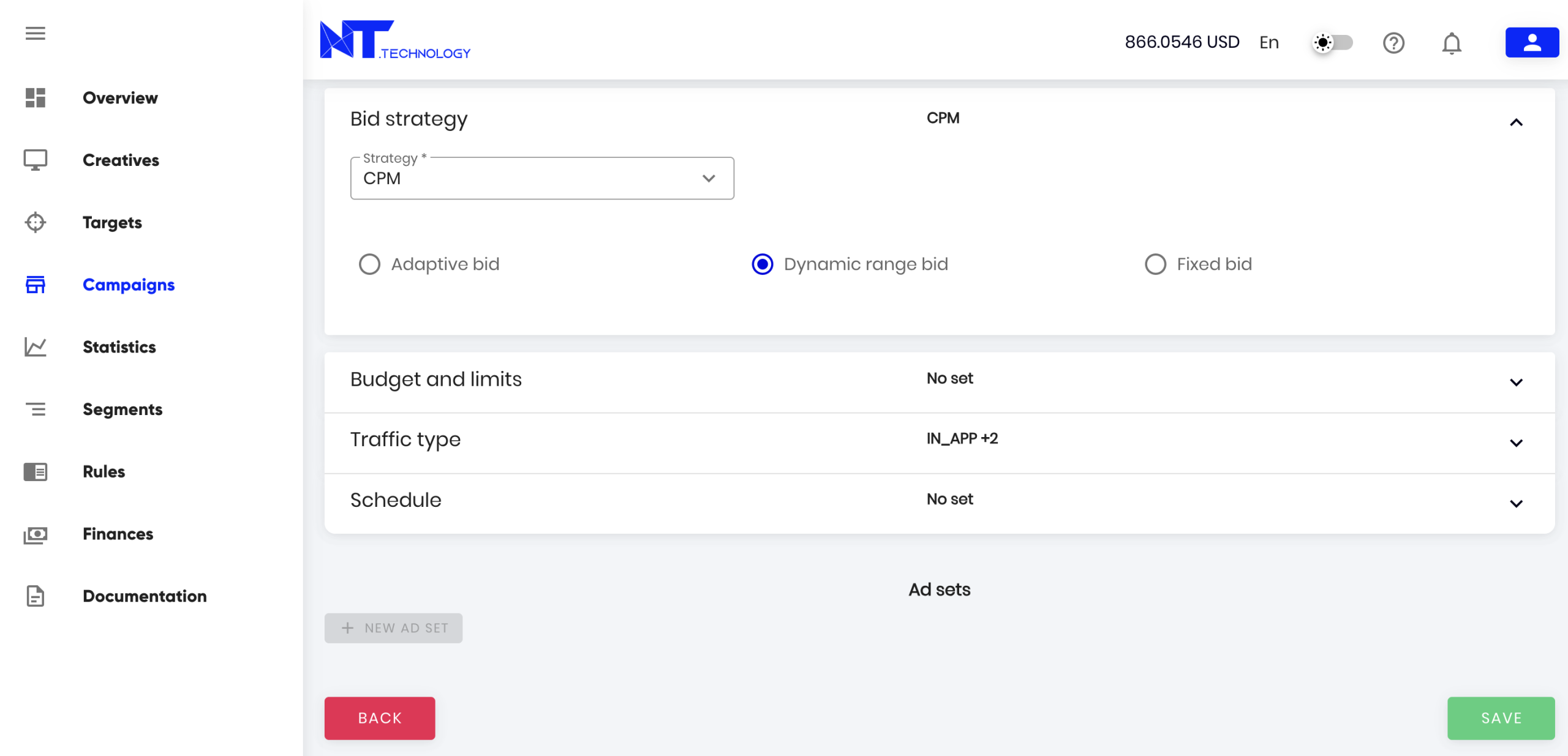
3. Campaign Strategy
Pricing model (type-dependent):
- CPM (Cost Per 1000 Impressions)
- CPC (Cost Per Click) – used in Banner and Native campaigns
- CPV (Cost Per View) – used in Video and Audio campaigns
Bid Type:
- Fixed: Full budget control, bid manually
- Adaptive: Maximum efficiency, system calculates optimal bid
- Dynamic Range: Balanced approach, automatic bids within your max price range
4. Budgets and Limits
- Specify the total budget for the campaign. Once the budget is exhausted, the Participant will switch to “Offline” status. The campaign can only participate in auctions again after replenishing the balance.
- Specify the daily budget for the campaign. Once this budget is exhausted, the Participant will switch to “Offline” status until the next day of operation, according to the schedule.
- You can set a limit on the number of clicks or impressions (daily or total). Once this limit is reached, the Participant will switch to “Offline” status. The flag for evenly distributed clicks ensures that the clicks are spread evenly over the campaign period.

To simplify campaign management, the current spend is displayed in parentheses next to the total budget limit.

5. Traffic Type
By default, all types of traffic are considered for the campaign:
- In-app
- Mobile web
- Desktop web
6. Campaign Participation Schedule in Auctions
By default, the campaign start date is set to the current date. You must also specify an end date for the campaign. When editing, the end date can be changed. The schedule can be adjusted by the hour for each day of the week.

7. Frequency Capping
Frequency capping allows you to set the maximum number of times the same ad is shown to a unique user over a specific period.
- Per User: Limits impressions for a specific user, typically identified via cookies or a device ID.
- Per IP: Limits impressions based on the device’s IP address. This method is used when a precise user ID is unavailable (e.g., in a cookieless environment).

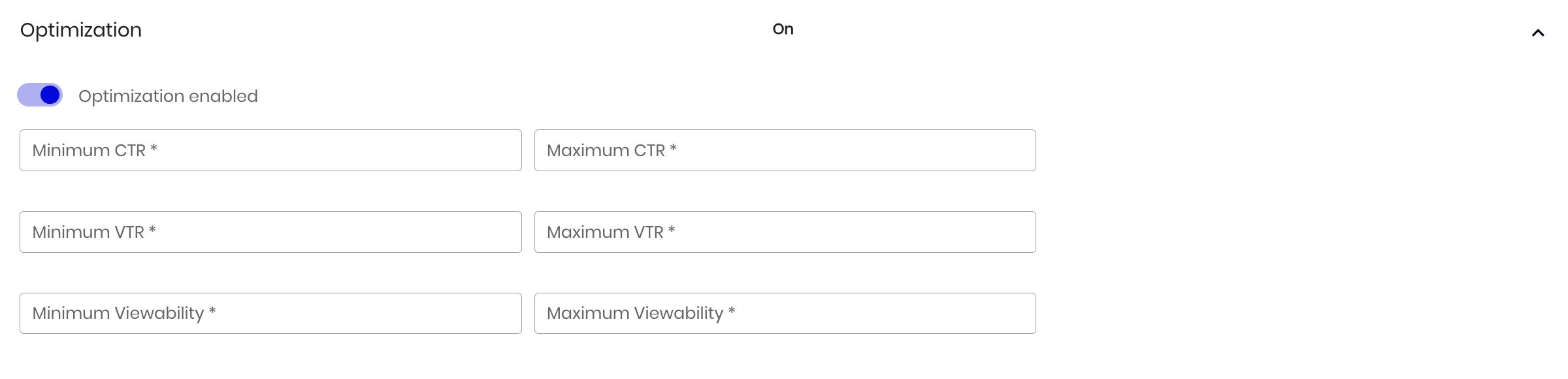
8. Campaign Optimization
Advertising campaigns can be optimized by setting target thresholds for key performance indicators (KPIs), such as:
- Maximum and minimum View-Through Rate (VTR)
- Maximum and minimum Click-Through Rate (CTR)
- A minimum Viewability rate
9. Managing Creative Groups
You can read more about creative groups in this article.